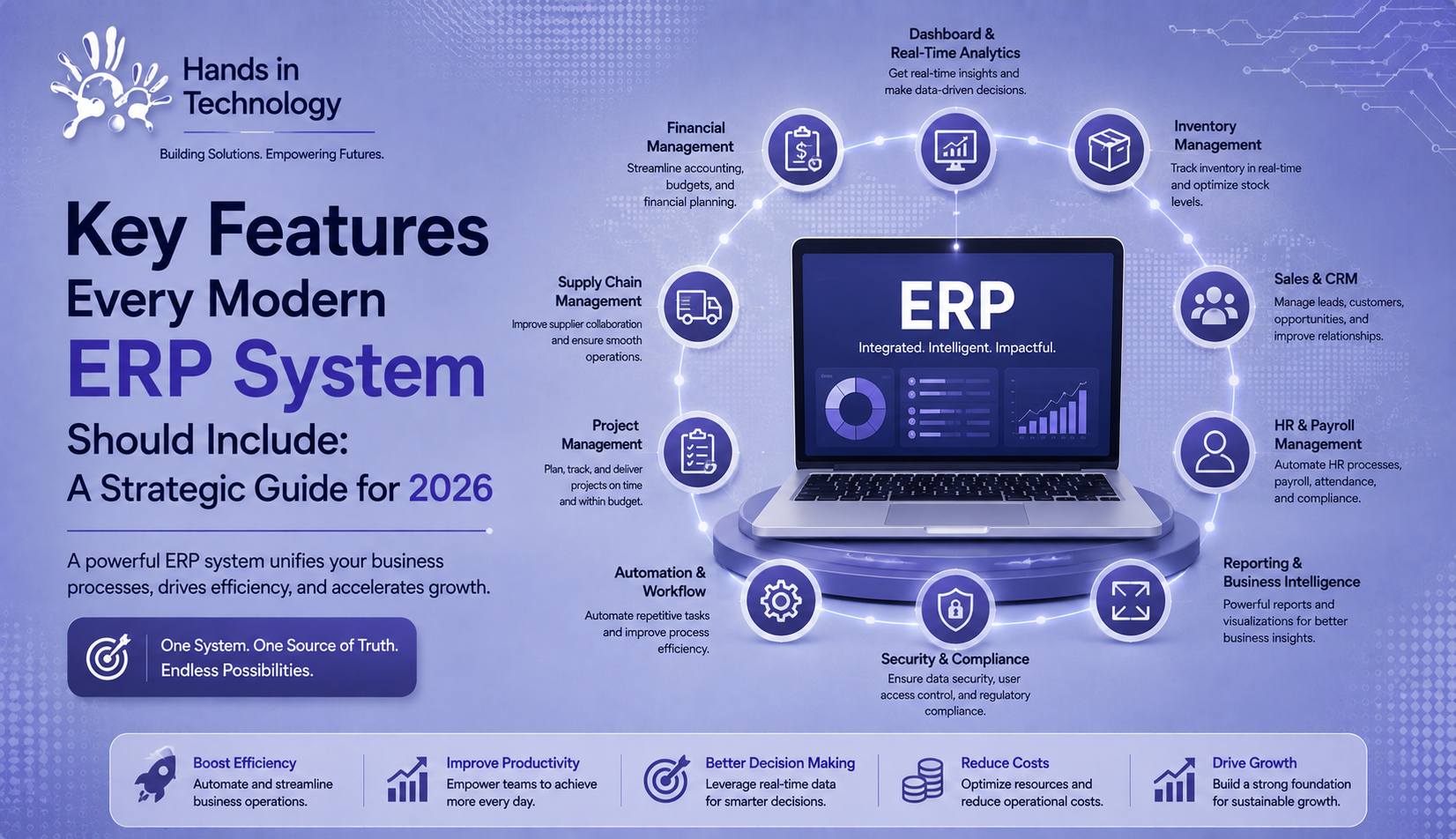
Most ERP implementations fail not because of poor technology but because of poor feature alignment. Selecting an ERP without evaluating the Key Features Every Modern ERP System Should Include leads to costly rework, adoption failure, and operational gaps. The right feature set determines whether your ERP drives growth or creates friction.
Introduction
Enterprise Resource Planning systems have evolved significantly. Organisations no longer seek basic automation they demand intelligent, scalable, and integrated platforms. Understanding which features are non-negotiable versus supplementary directly impacts ROI, implementation timelines, and long-term operational efficiency.
1. Why Feature Selection Defines ERP Success
An ERP system is only as strong as the features it delivers. Poorly scoped implementations result in module redundancy, integration failures, and low user adoption rates.
Feature selection errors cost businesses in three specific ways:
- Purchasing capabilities the organisation never uses
- Missing critical features that require expensive third-party add-ons
- Building workarounds that undermine system integrity
2. Core Functional Modules Every ERP Must Have
Financial Management
Every ERP must centralise financial operations. This includes:
- General ledger and accounts payable/receivable
- Budget planning and forecasting
- Multi-currency and multi-entity support
- Regulatory compliance and audit trails
Human Resource Management
HR modules must go beyond payroll. Essential capabilities include:
- Employee lifecycle management
- Attendance, leave, and performance tracking
- Statutory compliance and reporting [INTERNAL LINK: HR ERP Solutions]
Supply Chain and Inventory Management
Real-time inventory visibility is non-negotiable for product-based businesses.
- Purchase order management
- Warehouse and logistics tracking
- Supplier performance monitoring
3. Key Features Every Modern ERP System Should Include
Real-Time Data and Analytics
Decisions made on stale data are decisions made blind. A modern ERP must deliver:
- Live dashboards with role-based access
- Predictive analytics and trend reporting
- Custom KPI tracking across departments
Cloud-Native Architecture
On-premise ERP systems limit scalability and remote accessibility. Cloud-native ERP delivers:
- Automatic updates without operational disruption
- Lower infrastructure maintenance costs
- Secure, location-independent access
Workflow Automation
Manual approvals and repetitive data entry reduce operational efficiency. Automation features must include:
- Configurable approval workflows
- Automated notifications and escalations
- Rule-based task triggers across modules
Integration Capabilities
No ERP operates in isolation. Robust ERP integration architecture must support:
- REST API and webhook connectivity
- Native integration with CRM, HRMS, and e-commerce platforms
- Third-party logistics and payment gateway compatibility
Mobile Accessibility
Decision-makers and field teams require mobile-first access. Critical mobile features include:
- Responsive dashboards for real-time approvals
- Offline functionality with sync capabilities
- Role-based mobile access controls
Scalability and Modular Design
An ERP must grow with the business. Modular ERP architecture allows:
- Adding new departments or geographies without full re-implementation
- Independent module upgrades
- Cost-controlled feature expansion
4. Industry-Specific Capabilities
Manufacturing
- Bill of Materials (BOM) management
- Production planning and shop floor control
- Quality control and compliance tracking
Retail and E-Commerce
- Multi-channel order management
- Point-of-sale integration
- Customer return and refund workflow automation
Professional Services
- Project costing and resource allocation
- Timesheet and billing management
- Client portal integration
Different sectors demand different configurations. Generic ERP deployments without industry-specific calibration consistently underperform.
5. What Separates a Good ERP from a Great One
User Experience and Adoption
Even feature-rich ERP platforms fail when users cannot navigate them confidently. A great ERP prioritises:
- Intuitive UI with minimal training requirements
- Role-specific dashboards reducing information overload
- In-app guidance and contextual help modules
Vendor Support and Roadmap Transparency
Your ERP partner must demonstrate:
- A clear product evolution roadmap
- Structured SLA-backed support tiers
- Regular compliance and security updates
A vendor’s long-term commitment to the product directly protects your technology investment. [INTERNAL LINK: ERP Vendor Evaluation Guide]
Conclusion
An ERP system is a long-term operational infrastructure decision. The Key Features Every Modern ERP System Should Include from real-time analytics and cloud architecture to workflow automation and modular scalability form the foundation of a future-ready enterprise. Organisations that evaluate these features rigorously before procurement consistently achieve stronger adoption rates, faster ROI, and reduced total cost of ownership.
Hands in Technology architects ERP solutions aligned precisely to your operational complexity and growth objectives. Partner with Hands in Technology to design an ERP system built on the right features from day one.